
How to View Employee Profile
Follow the steps below to View Employee Profile
To view Employee Profile, click on “Onboarding” on the sidebar
1. Select “Onboarding” on the dashboard
2. There is an option to either view the employee profile or offboard employee
3. Select “View Profile” on the drop down
4. Full Employee Profile will be displayed as seen below
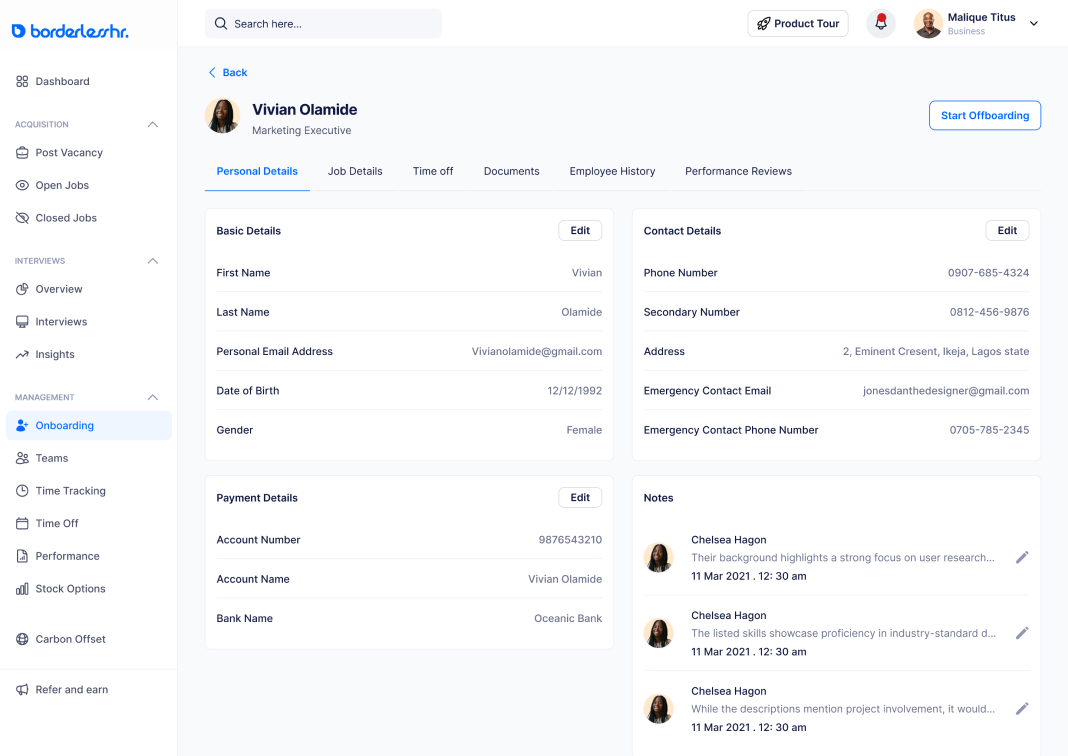
5. There is option to edit some information on the Personal Details section
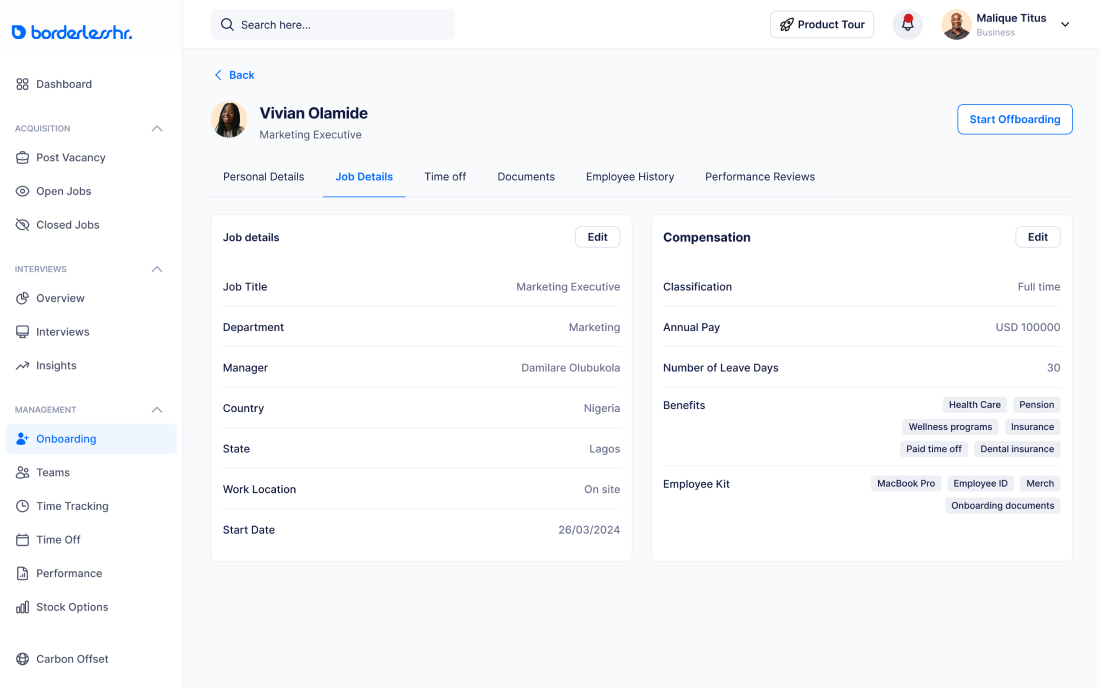
6. There is option to edit some information on the Job Details section as seen below:
- The Time Off section displays the following information:
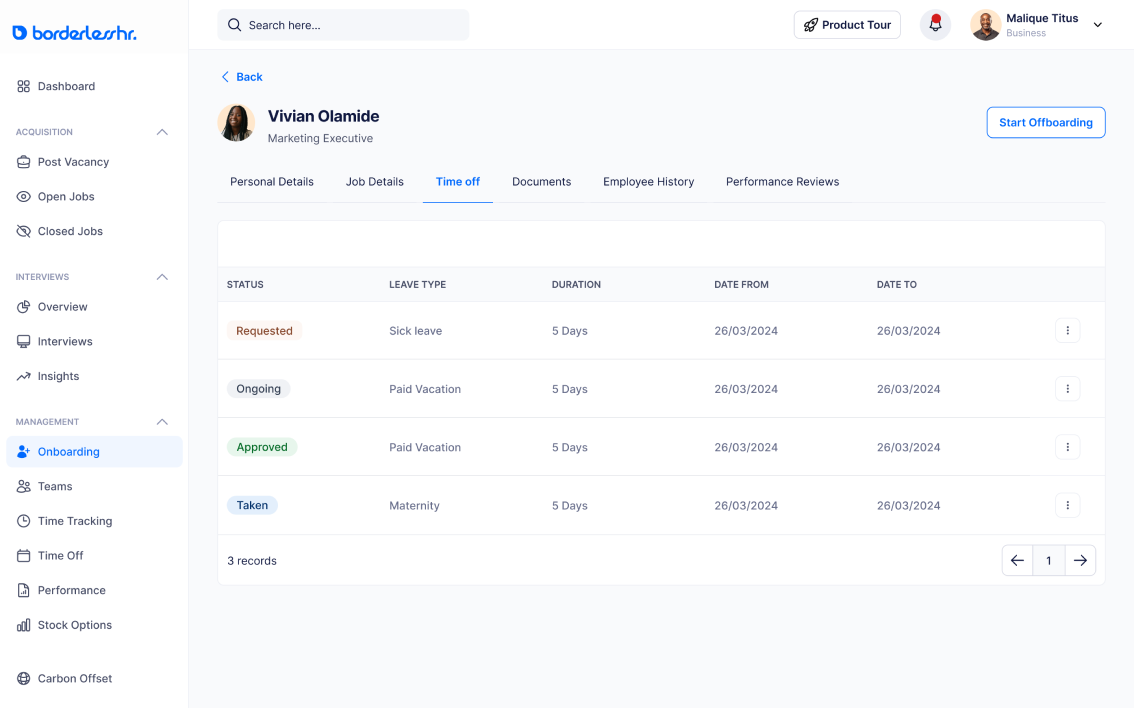
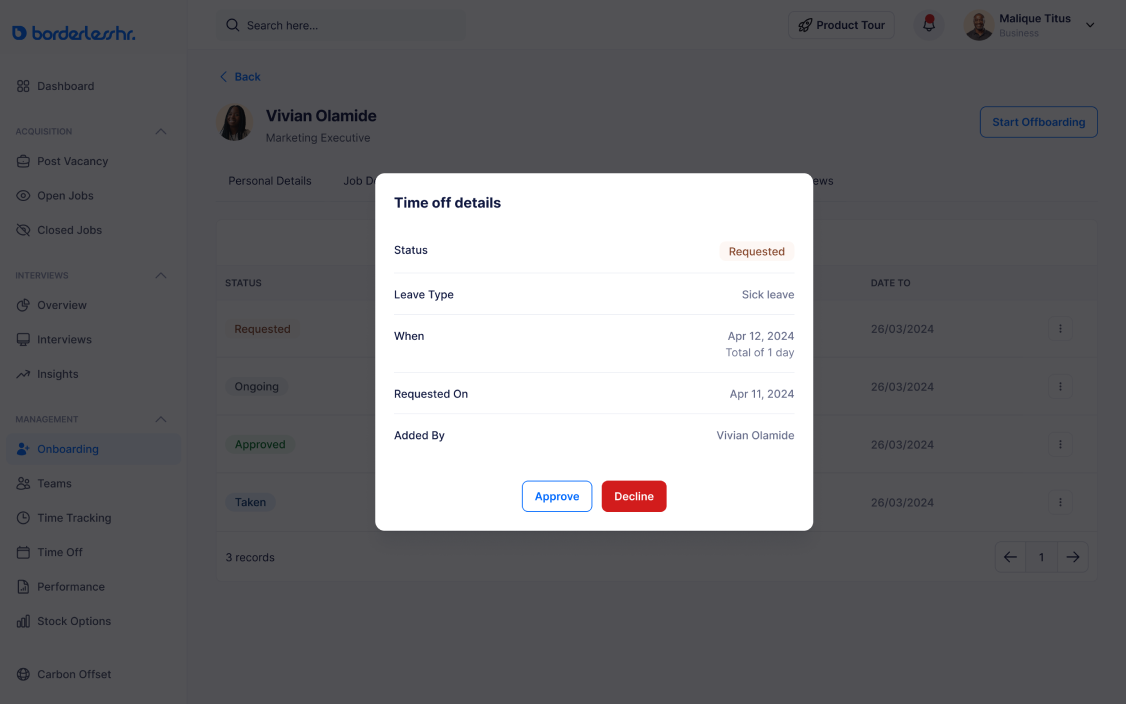
- There is option to either “approve” or “decline” an employee’s time off request
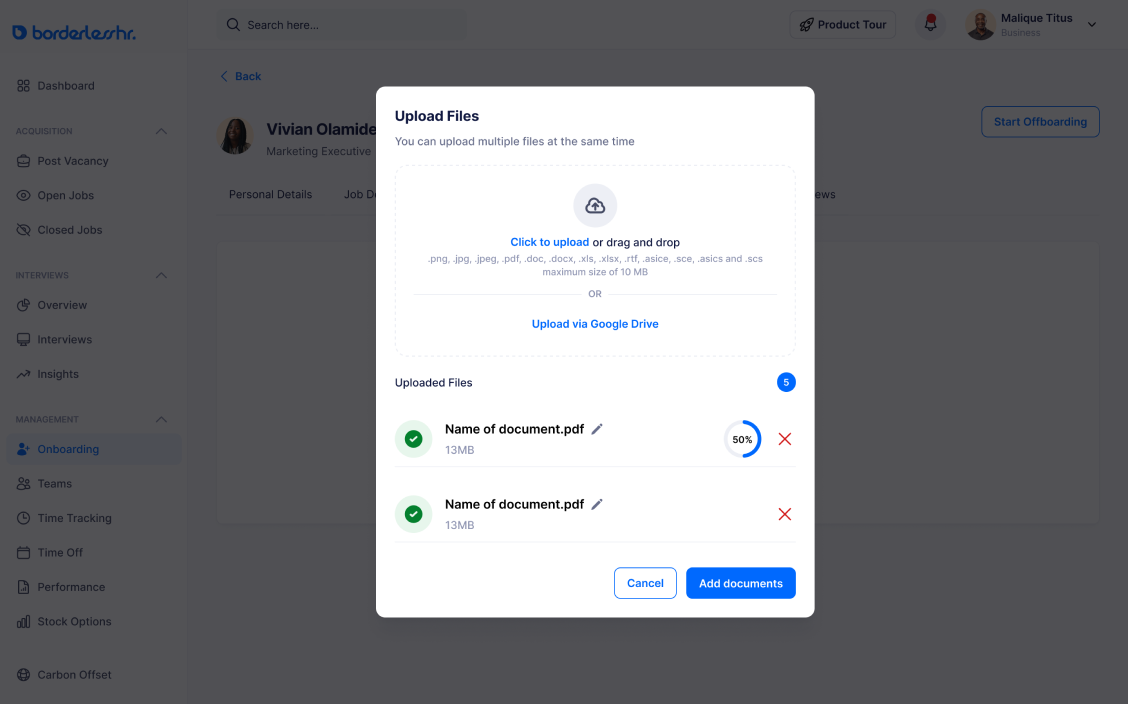
7. There is option to upload documents on the Document section
Other articles on Onboarding & Offboarding
SOLUTIONS
Copyright © 2024 BorderlessHR Inc. All rights reserved


