
How to Offboard an Employee
Follow the steps below to add a new hire to How to Offboard an Employee
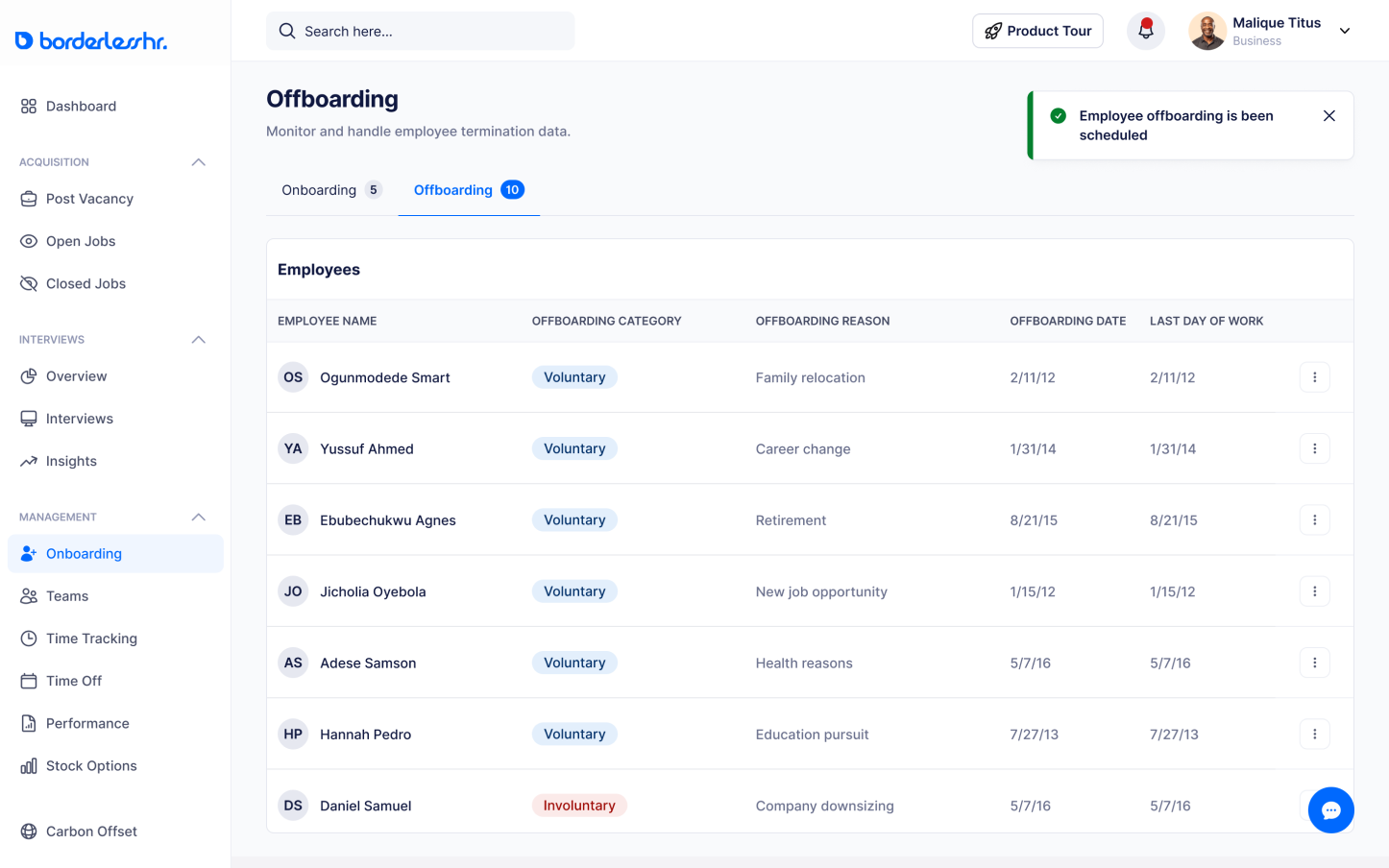
To offboard or remove an employee from the team, click on “Onboarding” on the sidebar
1. Select “Offboarding” on the dashboard
2. There is an option to either view the employee profile or offboard employee
3. Select “offboard employee” to start
4. Provide answers to the following questions on the Offboarding Details form:
- When is the employee's last day of work?
- Do you want to offboard the employee immediately?
- Categorize the employee’s termination
- Do you want to request a handover document?
- Have you revoked all access?
- Have you retrieved all company assets?
- Have you removed the employee from Payroll?
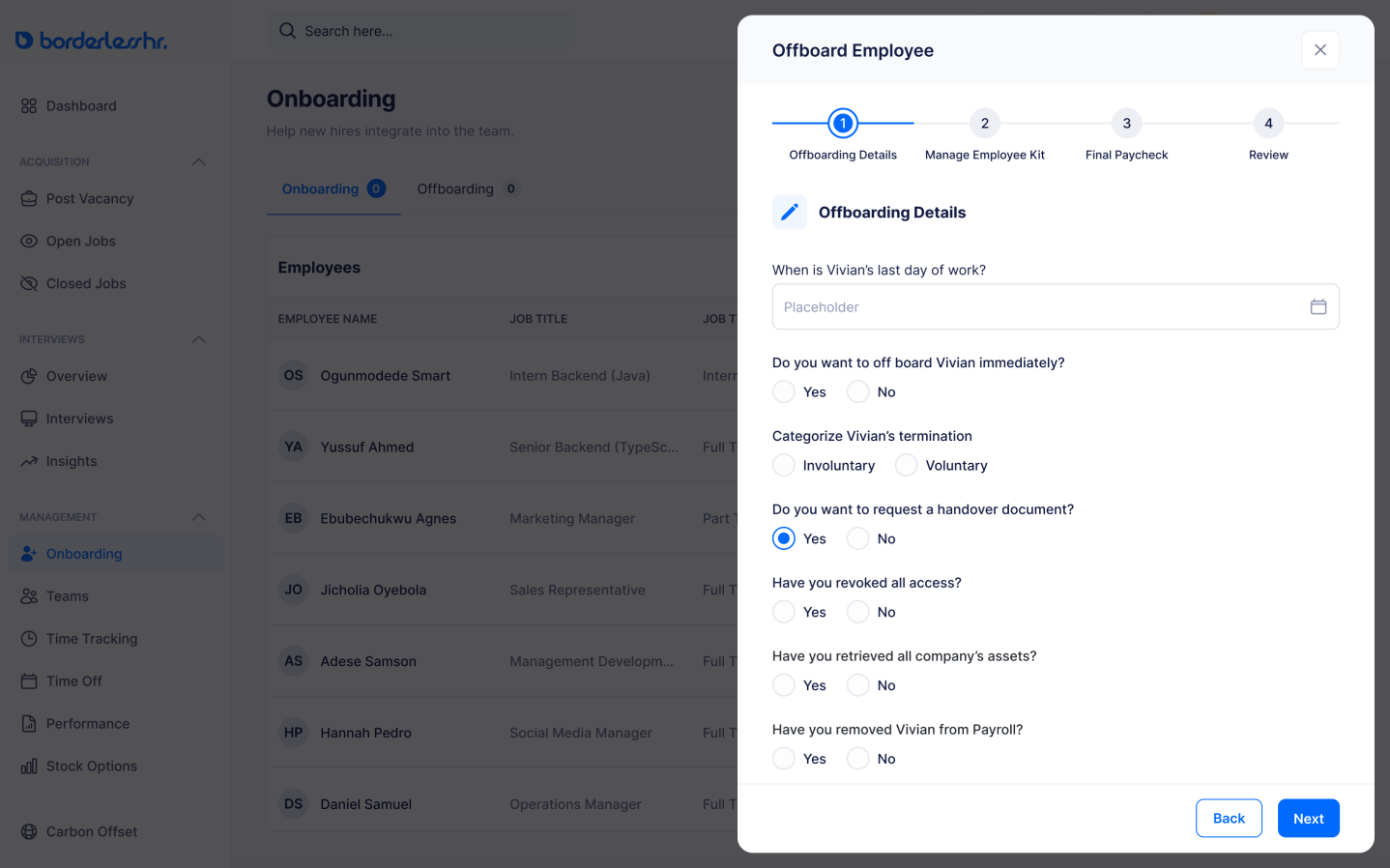
5. Click “Next”
6. Request Return for employee kits on the Employee Kit Form
7. The kits that were supplied to the employee at the point of hire will be indicated as seen below:
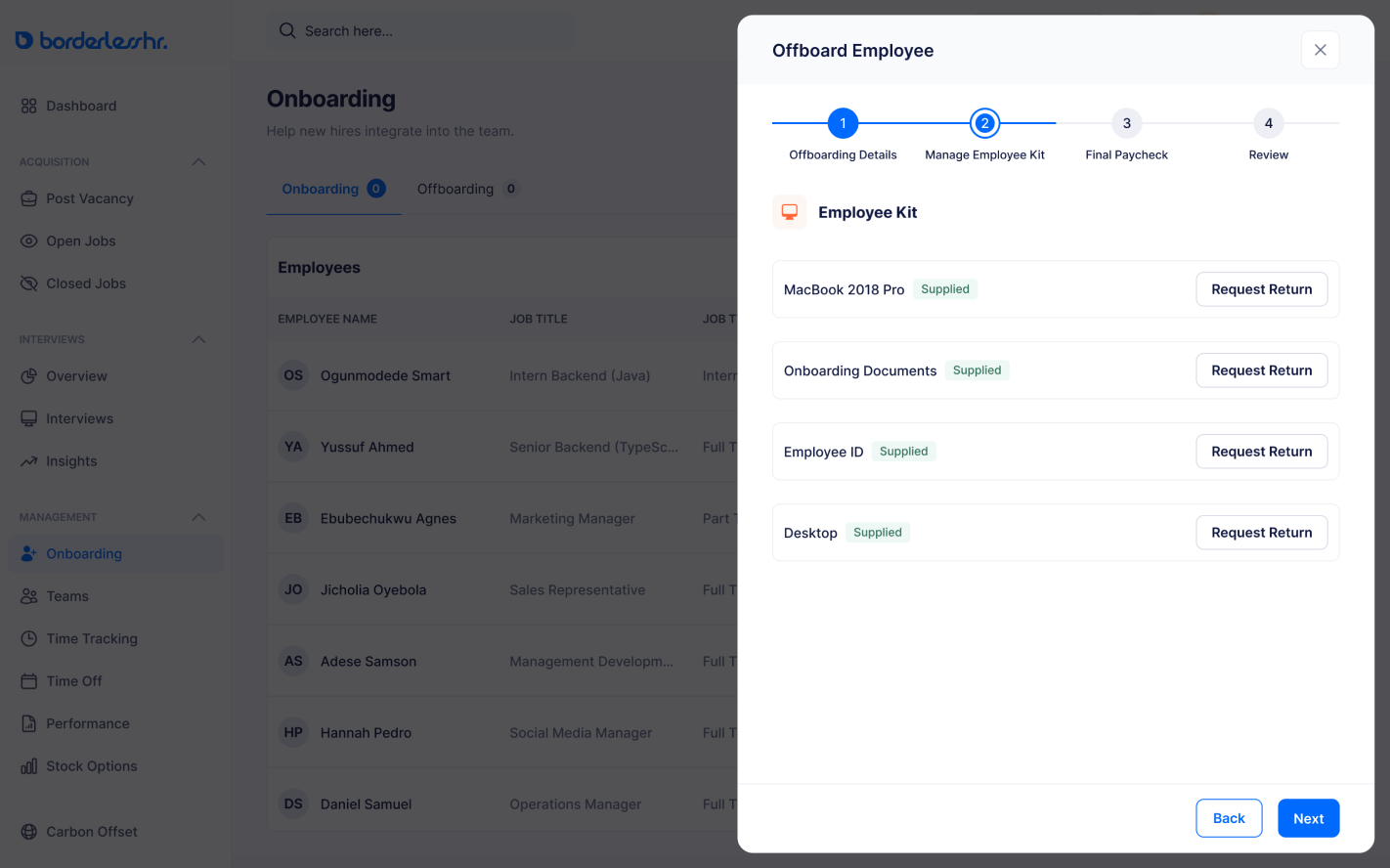
8. Click “Next”
9. Indicate the employee’s compensation type and amount on the Final Paycheck Form
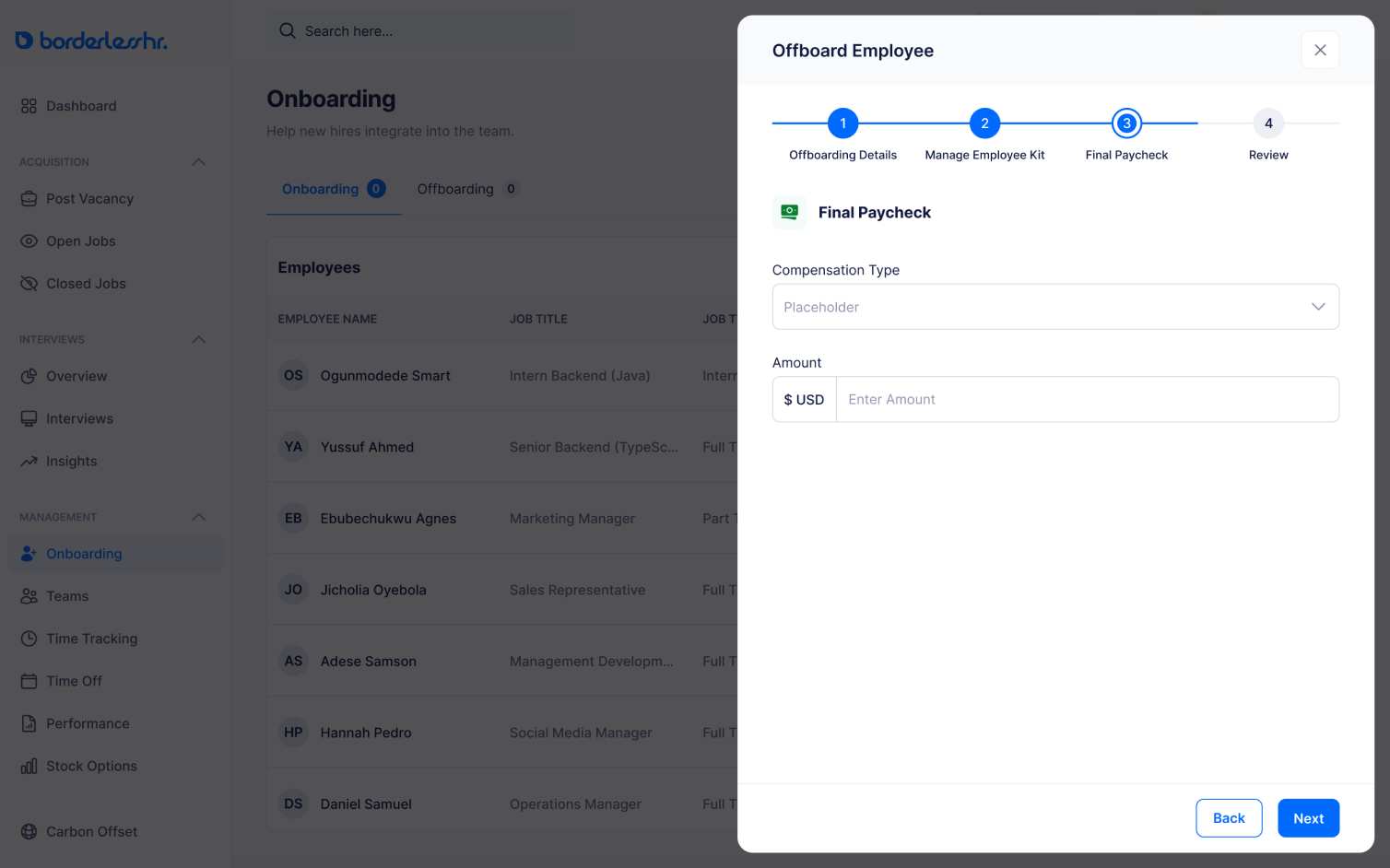
10. Click “Next”
11. Review Offboarding Details
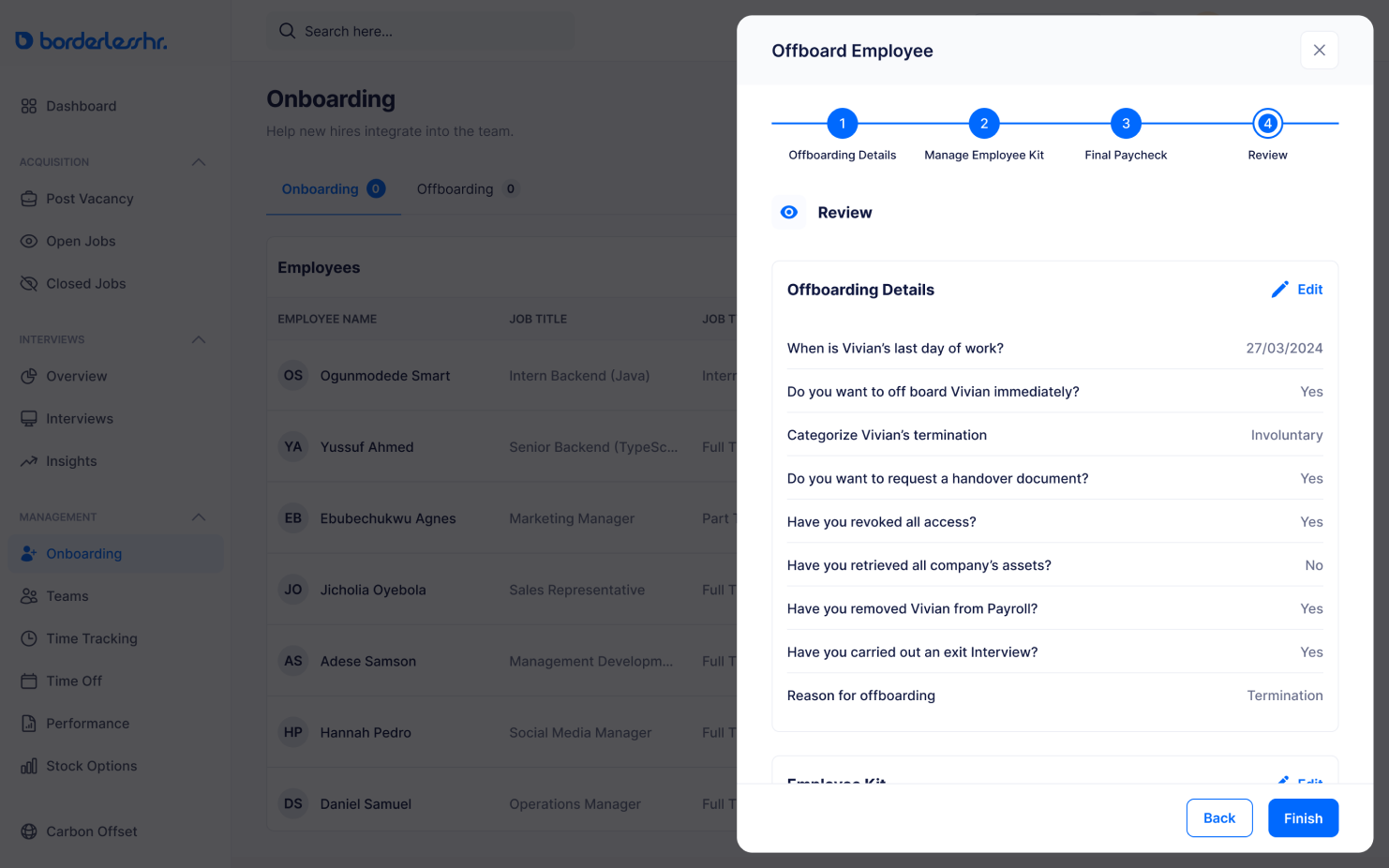
12. Click on “Finish” to schedule the employee’s offboarding
Other articles on Onboarding & Offboarding
SOLUTIONS
Copyright © 2024 BorderlessHR Inc. All rights reserved


